Correcting product stock mis-match or incorrect stock in different reports
Correcting product stock mis-match or incorrect stock in different reports
Posted on : 26 Apr, 2022 | Last Update - 3 years ago
Error 1: Mismatch between sold and purchased quantity
Error 2: Mismatch in stock shows in Stock-Report and sales screen. Sales screen accepts products greater or less than as in stock reports.
This rarely happens because of some unknown reasons or if you try to manually update the stock in the database.
Solution:
NOTE: You must have the role of admin for this to work.
Step 1: Go to this URL www.your-pos-website.com/reports/product-stock-details
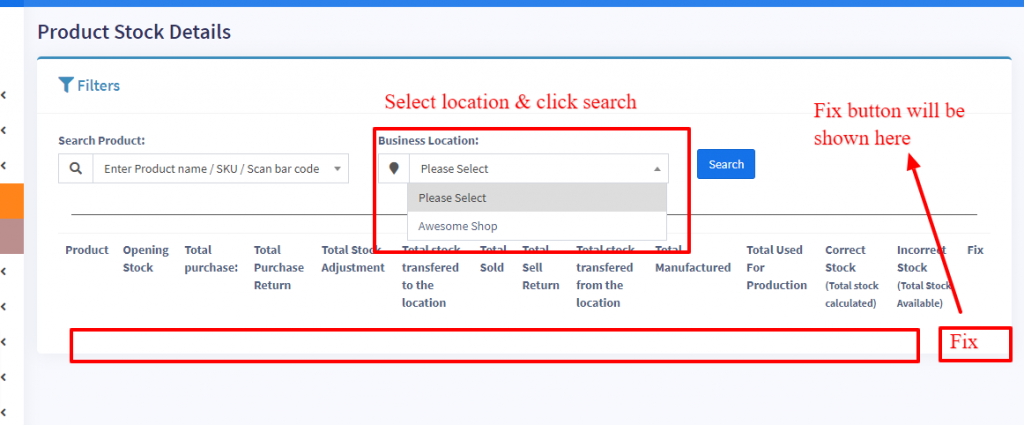
Step 2: Select the business location and press search button. It will show the list of products for which there is a mismatch.
Step 3: Click on Fix button for each product.
Refer to the screenshot below
Products
Still No Luck ? We can help you
Create a ticket, we’ll get back to you as soon as possible.
Submit a Ticket